Blog Graphic Header

Flex your creative muscle with the new Adobe CS6!

Every year loyal Adobe users anxiously wait to see how their work experience will be enhanced, this year Adobe takes it to another level with the Creative Cloud.

Prepare for the next generation of Success!

Adobe helps educators prepare students to excel by providing the tools to develop the critical digital communication and creativity skills needed in today’s workforce. With standards-aligned curriculums, certification, professional development, and flexible purchasing programs, schools of all sizes can ensure their students are set up for success.


Adobe® Creative Suite® 6 software delivers a whole new experience for digital media creation, enabling you to work lightning fast and reach audiences wherever they may be. Now, for the first time, CS applications are also available through Adobe Creative Cloud™, giving you the flexibility to download and install them at any time. Plus, access additional applications, publishing services, and new products and features as they are released.

See the Creative Cloud in action for yourself!

Tagged , , , , , , , , , , , |

Keep Organized with the new FileMaker Pro 12

Keeping organized is a vital necessity in today’s fast moving, technological environment. Whether it’s keeping track of your project assets, or a database developed for the value of your hockey card collection, Filemaker Pro 12 can help you keep on top of these tasks.


Access your Information, anywhere you go!

Add FileMaker Go, the leading business database app for iPad and iPhone, to remotely access your FileMaker Pro information on the go.


Database Management

A database management system lets you organize any type of information, including:

  • People, like your customers, employees, students, homeowners’ association, or hiking club.
  • Projects, like staff assessment, introducing a new product, remodeling your office, or maintaining your car.
  • Assets, like inventory or your wine collection
  • Images, like product photos, scanned drawings or videos.

The information you store in your database management system can be in the form of text, photos, PDF files, sound files, illustrations-pretty much any information you can store on your computer.

Tagged , , , , |

Marvelous Designer Now Available for MAC!

For those of you who tuned in last week and saw our Marvelous Designer post…but didn’t see anything about Mac platform, we’ve got great news for you!

Marvelous Designer has now released it’s Mac version and it’s ready for a free trial download. Come see how you can make your fashion ideas come to life in minutes, or call us at 1.877.730.4770 to see how you get design tool for your classroom!

Windows Version

32bit: http://211.191.168.213/data/MarvelousDesigner_3_5_8_Installer.exe

64bit: http://211.191.168.213/data/MarvelousDesigner_3_5_8_Installer_x64.exe

Mac Version

Marvelous Designer 2

http://211.191.168.213/data/MarvelousDesigner_3_5_8.zip

For the Mac users, here´s an Installation Guide, Please click the link below. 

http://manualen.clo3d.com:1975/02fa9d1951420761#03e8891be8f17b9a

Tagged , , , , |

Skills Canada – BC and Ontario and Marvelous Designer

April is a busy month for the skilled, tech-savvy students across Canada. iDESIGN, once again had the pleasure of supporting and attending the competitions and exhibitions in Abbotsford B.C on April 18th, and in Waterloo, Ont. on April 30th, and May 1st.

These exhibitions expand the awareness of career options for today’s youth, bringing exhibits from dozens of industry leading companies and post secondary schools across the country. Students compete in areas like robotics, architectural and mechanical design, graphic design for web and animation, culinary arts and fashion design. iDESIGN was happy to showcase new software tools like Autodesk’s student suites, CADSOFT’s Envisioneer, as well as our new fashion design software Marvelous Designer.


The program allows you to create designs for clothing in a realistic manner as if you were cutting a peice of fabric in any style you can imagine. Stitch the seams as you would in real life, and then drape your new garment on an avatar of your choice. Once you’ve created your garment, you can see how it fits the form of your avatar and how it’s affected by gravity and wind. Then you can bring your stylish character into images, animations and games.

For anyone interested in fashion design or character development in 3D animation, this powerful design product is a must see! For more details on pricing, the free trial, and how to get Marvelous Designer in your school, contact us at 1.877.730.4770


Tagged , , , , , , , |

Professional Power on a Student Budget – Autodesk 2013 Student Suites

If you are like most design students, you are a relentless tinkerer and an insatiable innovator. Now you have the opportunity to take your incredible ideas even further with Autodesk® suites—the fully functional commercial industry applications—at a deeply discounted price. With this offer, you can work with the tools the pros use, help prepare yourself for the next step on your career path, and become the designer you know you can be.

Here is what you get:

  • Access to the same Autodesk suites used in industries such as architecture, engineering, and the digital arts
  • Exposure to applications that may not be available for purchase as individual products
  • Perpetual license with no expiration date
  • Expanded usage rights that include your dorm, home, classroom, and lab
  • Custom pricing for a professional license after graduation

Purchase today and start designing like a pro:


 Architecture Building
Architecture provides a lifetime of opportunities for creativity and aesthetic problem solving. Using our popular AutoCAD® Architecture and Autodesk® 3ds Max® software, professionals worldwide are exploring these qualities in designing, visualizing, and animating highly original structures.


General Design
AutoCAD® software helps lay a broad foundation on which countless designs careers can be built. Designers develop andrefine concepts and prepare technical drawings and plans. Production and construction teams use these documents to build everything from manufactured products like spacecraft, tools, and toasters to structures like office buildings, theater sets, and stadiums.


Mechanical Engineering
For the mechanically minded, there’s nothing more exciting than watching ideas be transformed from initial thoughts and sketches into 3D models and working prototypes. Autodesk’s mechanical design products, such as Autodesk® Inventor® make this process more accessible.


Civil Engineering
Bridges, airports, highways, and hydroelectric dams today’s civil engineers rely on technology from Autodesk to help design and build these massive projects. Using AutoCAD® Civil 3D® and AutoCAD® Raster Design software, they can meet the challenges and enjoy the triumphs of designing such complex systems.


GIS & Mapping
Using AutoCAD® Map 3D and AutoCAD® Raster Design , professionals connect with global communities to solve pressing problems. Autodesk geographical information systems (GIS) products give professionals the power to make informed decisions based on precise geographical data so they can make the best use of resources and plot a course for success.


Visualization & Animation
Autodesk visualization and animation software is the toolset of choice in television production, film, and computer game development. These groundbreaking tools, which include Autodesk® Maya®, Autodesk® 3ds Max®, Autodesk® MotionBuilder™, and many other products enable digital artists to create compelling, award-winning imagery.


Tagged , , , |

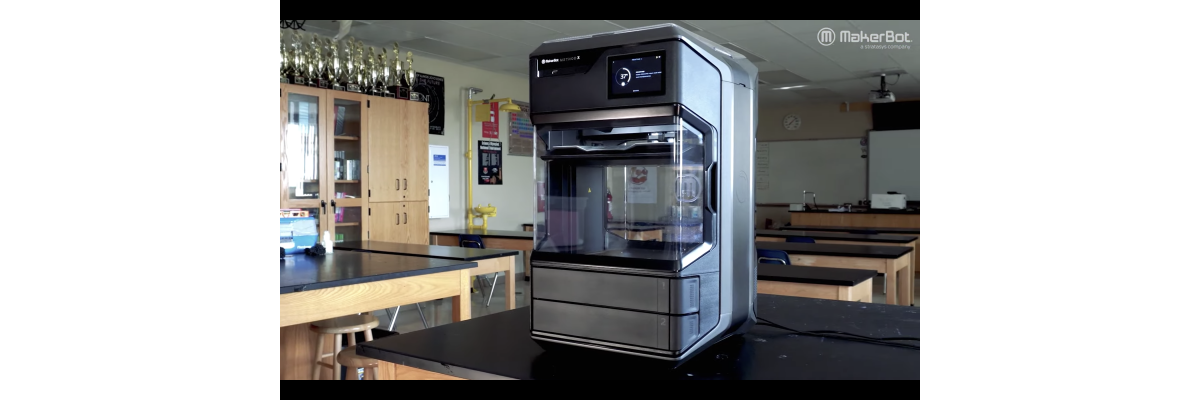
The Power of 3D Printing

Here on the iDesign Blog, we promote and often discuss the use of building information modeling (BIM) and parametric modeling. We’ve talked about architecture, and the advance of 3D animation using various Autodesk applications for films and video games. Today, I’d like to delve into a topic that has opened up a whole new realm of possibilities. Dare I say that 3D print may just be the most important innovation technologically speaking since the Internet? I think I do.

In its infancy, 3D print was intended for manufacturing as a solution to mitigate the costs of prototyping, thus the alternative term ‘rapid prototyping’. This new form of prototyping not only protected manufacturers from having their ideas stolen, it also allowed them to bring their products to market quicker and saved them money. Not only is the process quicker in that you can take your concept from CAD to prototype in a matter of minutes or hours, using 3D print allows one to make the adjustments necessary to the design earlier because testing can actually be done with the printed model. Commonly, when something is used successfully in one area, innovators begin to ask whether it would be as useful to them, and so 3D print has exploded in its application and development.

Now that it has been adopted in many industries such as manufacturing and architectural design; dentistry and medical applications have been explored to the point where human veins and artificial jaws have been printed. Jewelers and artists use this additive process to hone their crafts and create beautiful objects. Even in space exploration, the idea has been put forth that if a 3D printer was sent into space with the adequate materials, any further instruments required could be printed and put to use as opposed shipping these more expensive payloads into orbit pre-manufactured.  Maybe you’re already convinced, but if you like fashion or food, there’s something here for you too; as even fabrics and meals can be made with this technology.

iDesign Solutions has recently partnered with one of the world’s leading manufacturers of 3D printers, Objet. Based in Israel and holding many patents, Objet is the only 3D printer manufacturer to provide a solution that can print multiple materials in one run, as well as mixing materials with their Connex series printers to emulate end product material properties such as rigidity, flexibility, and tensile strength. Objet printers also provide the freedom of printing in various colours like blue, green, ivory, white and black and various shades of gray. Your printed model also need not be opaque if you don’t want it that way, as Objet’s TangoPlus is completely transparent.

As the technology has advanced, it has become more accurate and even the finest level of detail can be considered.  Anybody wanting to leverage their 3D models in the architectural field can now get a level of detail of up to .6mm thick.  This means that a curtain wall mullion, modeled at 2 inches  or 50 mm wide, can be visibily depicted in a scale model at 1/8” : 1’ or 1:200. I would say this beats cutting veneer and foam core board to illustrate a massing concept.

The last thing I’ll mention before giving you more links to peruse; is that these solutions are affordable and easily fit into an office space. The Desktop series are a compact 32 x 24 x 23 inches. There are no harmful chemicals or by products and although the printer isn’t silent, it’s quiet enough behind a closed door. If you’ve considered how much impact 3D printing will have in our future, you may want to consider having a 3D printer in your lab or classroom. As always, we’re available to answer any questions you may have in regards to 3D printers from Objet, and if you’d like to hear more about a solution we can provide for you, contact us at support@idesignsol.com, or call us at 1.877.730.4770.

Interesting article on the first 3D printed jaw transplant

Article written by Brit Ligget from inhabitat.com on 3D printed veins

Blog post from Objet visiting Daniel Hilldrup, an artist using 3D print in the UK

Blog post with video from Objet, showing the powerful rigid properties of Objet ABS like material in a giant adjustable wrench

Blog post from Objet showing the level of detail easily achieved with Objet 3D printing technology

A list of articles and videos from Reprap Central,  showing advances and breakthrough in 3D print 

Once, again, thanks for reading.

~ Travis

Tagged , , |

Starting a Project in Revit Architecture Part 10 : Creating and Editing Schedules in Revit Architecture

In our last segment of the Starting a Project in Revit Architecture series, we took a look at annotating our drawings, and how to set up sheets. What we’ll delve into today is creating a schedule for a quantity survey, and how one can edit those schedules to target specific information. To get started, you can open up the Revit file you have developed so far, or download the sample file we have shared by clicking here.

1)  The first step is to establish which type of schedule you’d like to create. For this tutorial, we are going to begin with a wall schedule. At this point, we have 4 different wall types in our model, but we may want to change these soon enough, depending on what our schedules show us.

Continue reading “Starting a Project in Revit Architecture Part 10 : Creating and Editing Schedules in Revit Architecture” »

Tagged , , , , , |

Special Guest Blog Post from our Strategic Partner at 3D Made Easy

What would it look like if your video tutorials were created by someone with a lifetime’s teaching experience behind them? You’d expect them to be well structured, well paced, summarised properly etc. More than that, if a whole series of them were put together and structured as a comprehensive series of lessons, you could describe the end result as the ideal, self-help, introductory teaching resource.

3DMadeEasy.com does all of the above for a range of design software titles including Inventor, Revit and 3D Studio Max. All of the videos have been created by and are presented by Eddie Mack, a teacher at the University of Glasgow in Scotland. You’ll find that the material on 3DMadeEasy goes well beyond simply showing modeling activity, of the kind you can find easily on Youtube and elsewhere. The style of presentation makes these videos feel much more like a classroom lesson being replayed.

iDesign Solution’s partner 3DMadeEasy.com can organise a trial for you or your school to take an extended look around the site. Here are two sample videos from the Inventor lessons which introduce ways of bringing your models and assemblies to life using Driven Constraints. To watch the videos, simply double click on the iDesign logo.

Continue reading “Special Guest Blog Post from our Strategic Partner at 3D Made Easy” »

Tagged , , , , |

Obtaining a network license file using the new Online Help Form

Autodesk has recently changed their model of obtaining network license files. The following steps will guide you through the Autodesk site to the new online form that allows you to check your assets and request an updated license file. If you’d like to skip the navigation process and get right to the form, you can simply click here to take you to specific location of the Online Help Form.

1)      First access the Autodesk website at usa.autodesk.com


Continue reading “Obtaining a network license file using the new Online Help Form” »

Tagged , , |

Editing Geometry within Revit Families

In the following steps, we’ll take a look at editing the geometry in a predefined family file. You’ll notice that within this family there are other families nested ie.) stools, sink and dishwasher.

To make this family complete, we need to create a void where the dishwasher will sit. To do this, we will edit  an extrusions for the casement and countertop. We’ll also illustrate how you can quickly edit the materials in the selection. To get started, access the project file, Family_Edit_Example.rvt by clicking here

Continue reading “Editing Geometry within Revit Families” »

Tagged , , , , , |